

Billing & Plans
Reshot uses a usage-based billing model based on the value you get—not the storage you use.
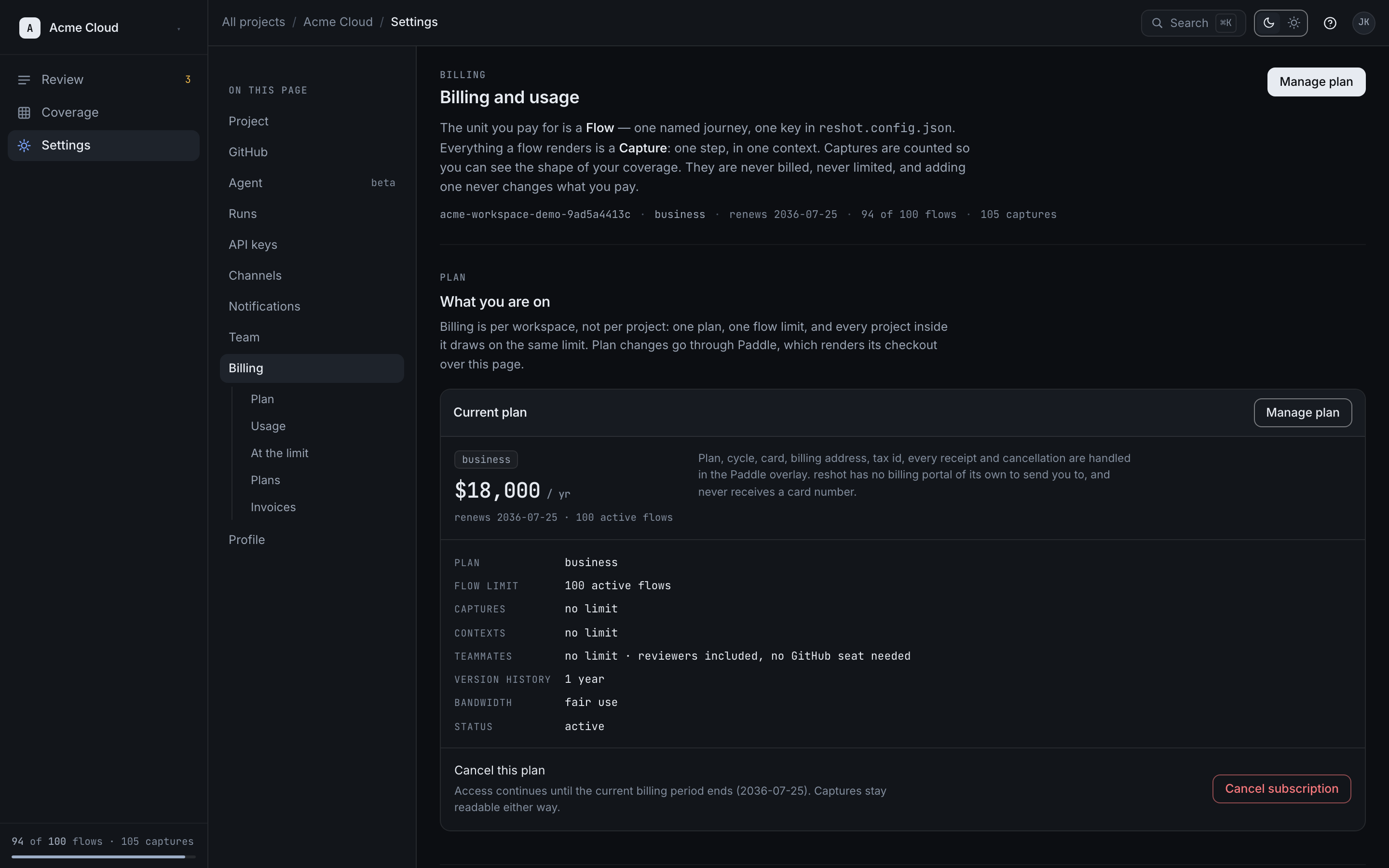
Accessing Billing
Go to Settings > Billing to view:
- Current plan
- Usage metrics
- Invoices
- Payment methods
Plan Limits
Active Flows
A flow is one product journey identified by its scenario key (for example, checkout).
- Developer includes 3 active flows
- Team includes 25 active flows
- Scale includes 100 active flows
- Enterprise starts at 250+ active flows with custom capacity
- Capture steps, contexts, and CI runs within the same scenario do not count as extra flows
Teammates and Approvals
- Teammates are unlimited on every plan — Reshot does not charge per seat
- Reviewer seats are unlimited on every plan, and every role except Viewer can approve — reviewer capability is not a paid seat
- Approval and rejection decisions are unlimited on every plan
- Developer includes the review workflow and an advisory
reshot/visual-reviewcheck - Team adds enforcement that holds a merge for a decision, plus the always-fresh pointer to the latest approved baseline
- Immutable per-version URLs remain available on every plan
Plans
| Feature | Developer | Team | Scale | Enterprise |
|---|---|---|---|---|
| Active Flows | 3 | 25 | 100 | 250+ |
| Teammates, Contexts & CI Runs | Unlimited | Unlimited | Unlimited | Unlimited |
| Version History | 7 days | 90 days | 1 year | custom |
| Review Queue | Yes | Yes | Yes | Yes |
| Visual Diffing | Included | Included | Included | Included |
| Slack Notifications | No | Included | Included | Included |
| Bandwidth | fair use | fair use | fair use | fair use |
Enterprise rollout discussions can cover custom bandwidth, storage-boundary requirements like BYOS, and procurement review needs. Those items are scoped with sales rather than self-serve feature switches in the app.
Usage Alerts
We send automatic notifications when you approach limits:
- 80% usage: Warning email
- 100% usage: Limit reached email
- Exceeded: Publishing blocked until upgraded
Upgrading
- Go to Settings > Billing
- Click Upgrade Plan
- Select your new plan
- Enter payment details
- Confirm upgrade
Upgrades take effect immediately.
Payment
- Monthly or annual billing
- Pay via credit card
- Invoices available for download
- Enterprise: Custom invoicing available