

Platform Mode
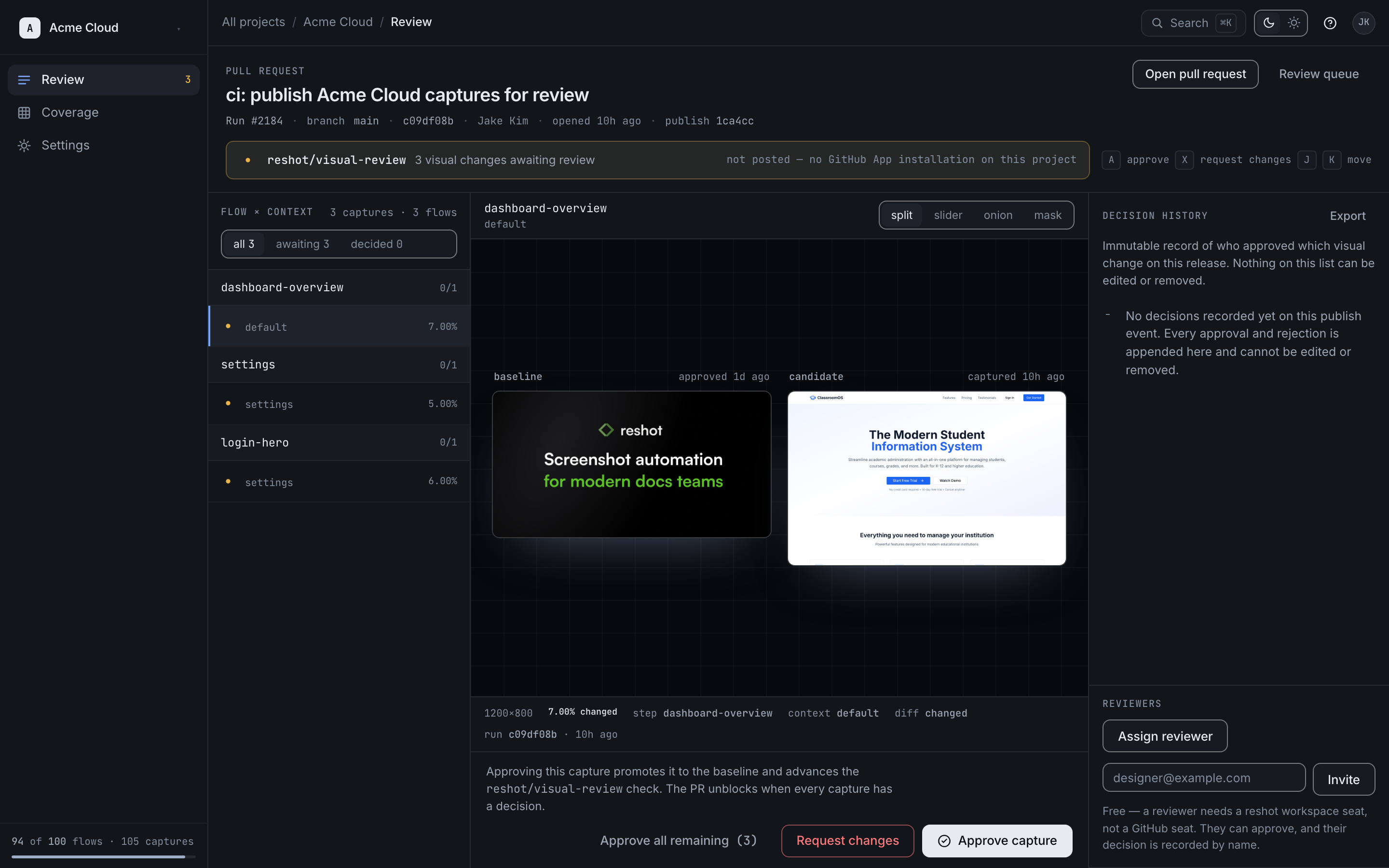
Platform Mode uses Reshot's managed infrastructure, giving you a visual review queue, version history, and approval-gated CDN delivery.
Configuration
JSON
{
  "storage": {
    "type": "reshot"
  }
}
Features
| Feature | Description |
|---|---|
| Review Queue | Make named approval/rejection decisions on every plan |
| Version History | Complete history of all visual versions |
| Immutable URLs | Per-version URLs on every plan |
| Approved pointers | Team+ URLs that serve the latest approved baseline |
| CDN Delivery | Global edge caching for fast asset loading |
| Team Permissions | Owner, Member, Viewer roles |
Setup
1. Authenticate
Terminal
reshot authThis opens a browser window for authentication and stores credentials in ~/.reshot/config.json.
2. Configure Storage
Set storage type to reshot in your config:
JSON
{
  "storage": {
    "type": "reshot"
  }
}
3. Publish
Terminal
reshot publishReview Workflow
When you publish:
- New Visuals: Marked as
PENDING - Changed Visuals: Marked as
PENDING(requires review) - Unchanged Visuals: Automatically
APPROVED
Team members review changes in the dashboard. On Team+, approval also advances the stable pointer to the new baseline; Developer retains immutable URLs for each version.
Asset URLs
Platform mode provides permanent CDN URLs:
Text
https://cdn.reshot.dev/v1/assets/[project-id]/[visual-key]Per-version URLs never change and are available on every plan. On Team+, an additional approved-baseline pointer keeps the same URL as new versions are approved.