
Screenshot automation for modern software docs.

Define captures once. Add reshot run --headless to CI. It captures against localhost, sends diffs to review, and the same URL serves the new image after approval.

Capture in Local CLI — Reshot product screenshotPublish & Review — Reshot product screenshotMap to Docs — Reshot product screenshot
reshot run

[01] Capture in local CLI

Capture against localhost with npx reshot run

Run screenshots in your own environment, against the same app state your team already trusts. Reshot turns those captures into repeatable scenarios instead of one-off scripts, so the workflow lives with the repo instead of in someone's personal setup.

Local capture
Run captures against localhost with the same app state your team already trusts.
Local capture
Capture rules stay reviewable in pull requests instead of hiding in personal scripts.
Local capture
The same scenario can be authored by hand or generated with the recorder.
reshot.config.json
{
  "baseUrl": "http://localhost:3000",
  "storageStatePath": ".reshot/auth-state.json",
  "scenarios": [
    {
      "name": "billing-overview",
      "steps": [
        { "action": "goto", "url": "/app/billing" },
        { "action": "waitForSelector", "selector": "[data-loaded='true']" },
        { "action": "capture", "key": "billing-overview" }
      ]
    }
  ]
}

[02] Publish & review

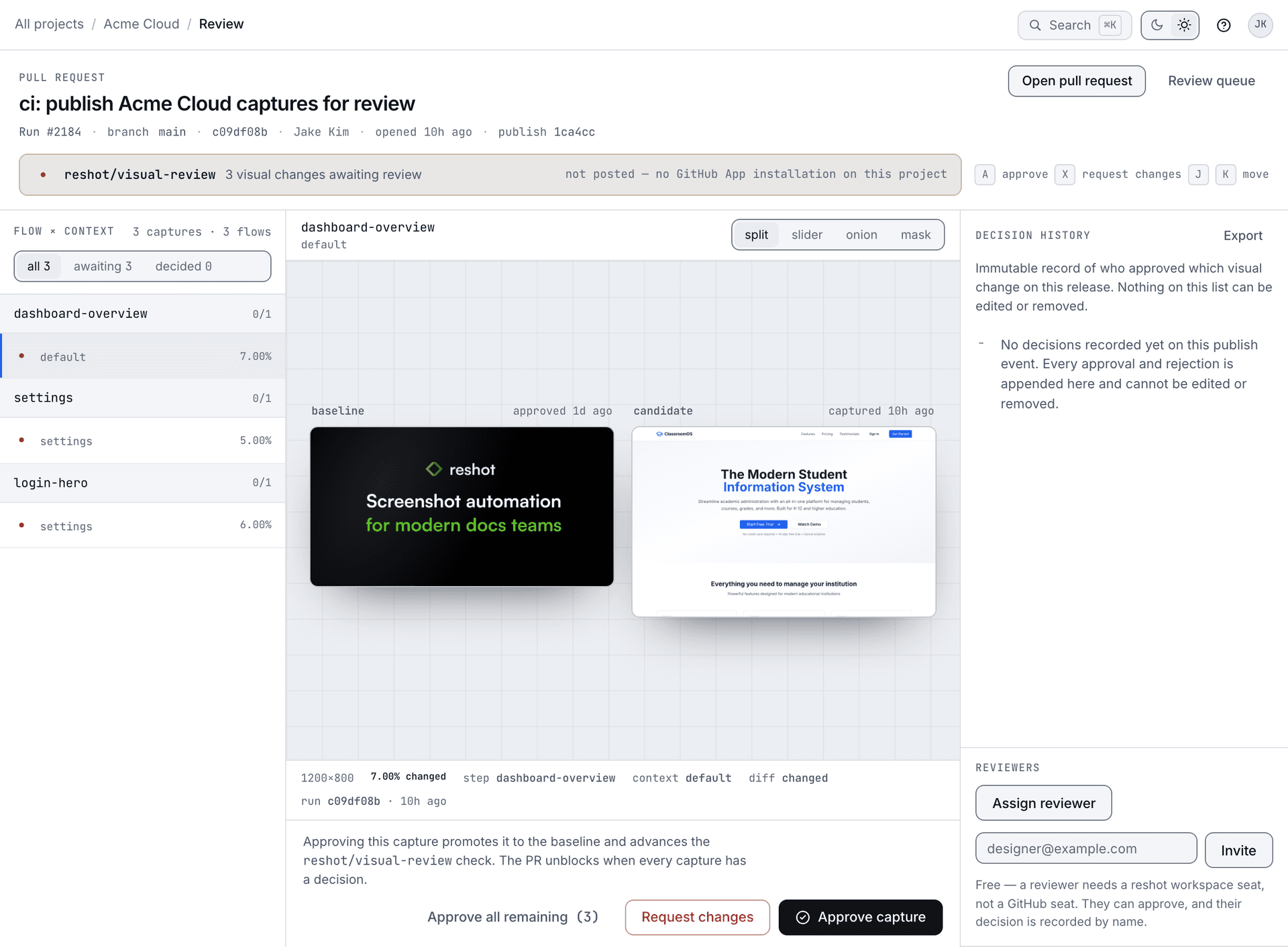
Publish candidate visuals, then review the diff before anything updates.

Each new run becomes a candidate update, not an automatic replacement. Reshot shows what changed, routes it through review, and lets your team decide which visual should become the current one.

Review sheet
Reshot review sheet showing a candidate visual diff
Review queue17 pending updates
Candidate04
billing-overview
Detected from localhost capture
In review01
analytics-panel
Assigned to docs reviewer
Approved12
settings-overview
Ready to publish to asset map
Publish candidate update
npx reshot run --headless
npx reshot publish

[03] Map to docs

Map visuals to docs once, then stop chasing filenames.

Connect a stable visual reference to your docs, help center, release notes, or launch content. Instead of swapping exported PNGs by hand, your pages point to a durable visual key that stays useful across releases.

Docs surface
Reshot docs page using a mapped visual reference
Asset delivery
reshot publish
reshot pull --format ts
docs-page.tsx
import assets from "./reshot-assets";

<img
  src={assets.billingOverview}
  alt="Billing Overview"
/>
Stable reference
Docs point to the visual key once. The page stops depending on manually swapped PNG filenames and scattered export paths.

[04] Update visuals anytime

Update the visual without rewriting the docs.

When the product changes, rerun the scenario, review the diff, and approve the new capture. The same mapped visual stays current everywhere it is embedded, so updates happen in one place instead of across every page that uses it.

assets.billingOverview
01
Rerun the scenario
When the UI changes, Reshot captures a new candidate without changing the docs reference.
02
Approve the replacement
The update stays controlled. Review happens before the mapped visual changes anywhere.
03
Let the same reference propagate
Docs, support, and launch content keep pointing at the same key, so one approval updates every consumer together.
DocsHelp centerLaunch postsassets.billingOverview
One approved update reaches every mapped embed.
approved
The same mapped visual updated everywhere after approval

Who this is for

Docs teams, DevRel, support, and anyone maintaining product screenshots.

Docs teams

Screenshots drift after every release. Reshot ties them to CI so they update with the code they document.

DevRel

Launch posts and tutorials embed a stable URL. Approve a new capture and every embed updates at once.

Support

Help-center images stay accurate even while the product keeps moving underneath them.

Start with one page

Start with one page.

Pick the docs page with the most screenshots. One capture run. If the next run surfaces a diff without anyone touching the embed, you have your answer.

Reshot - Screenshot automation for docs teams | Reshot