

Review Workflow
The Review Queue is the heart of Reshot's governance model. Just like code needs a Pull Request, visual changes need review before they replace the current approved image.
How Items Enter the Queue
Every time you run reshot publish:
| Asset Status | Queue Status | Action Required |
|---|---|---|
| New Visuals | PENDING | Needs approval |
| Changed Visuals | PENDING | Needs approval |
| Unchanged Visuals | APPROVED | None (auto-approved) |
Reviewing Changes
Navigate to CLI Commits in your project dashboard.
Filter Views
- All Visuals: Complete gallery
- Pending Reviews: Items awaiting approval
- Recently Changed: Last 7 days of activity
Actions
| Action | Icon | Result |
|---|---|---|
| Approve | ✓ | Records the decision; Team+ also advances the stable pointer |
| Reject | ✗ | Change is discarded, previous approved version remains |
Approval Flow
- Developer runs
reshot publishlocally or in CI - Changed assets appear in Review Queue
- Team member reviews changes (with diff overlay)
- Approves or rejects each visual
- On Team+, approved visuals advance the stable approved-baseline pointer; on every plan the approved version retains its immutable URL
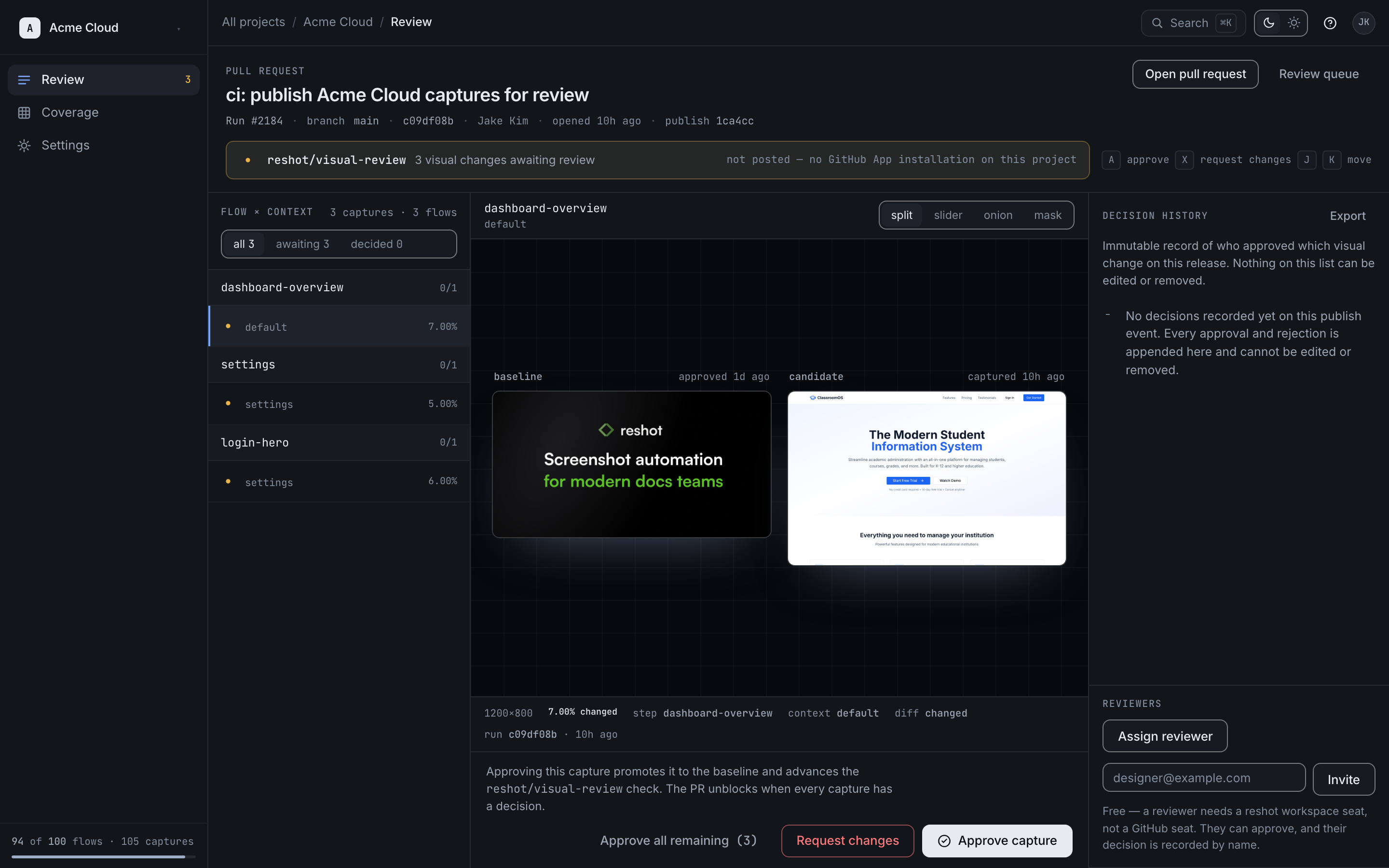
Bulk Actions
For large batches:
- Approve All: Accept all pending changes at once
- Filter & Approve: Approve by scenario or variant
Review Permissions
| Role | Can Review |
|---|---|
| Owner | ✓ |
| Member | ✓ |
| Viewer | ✗ |