

Visual Diffing
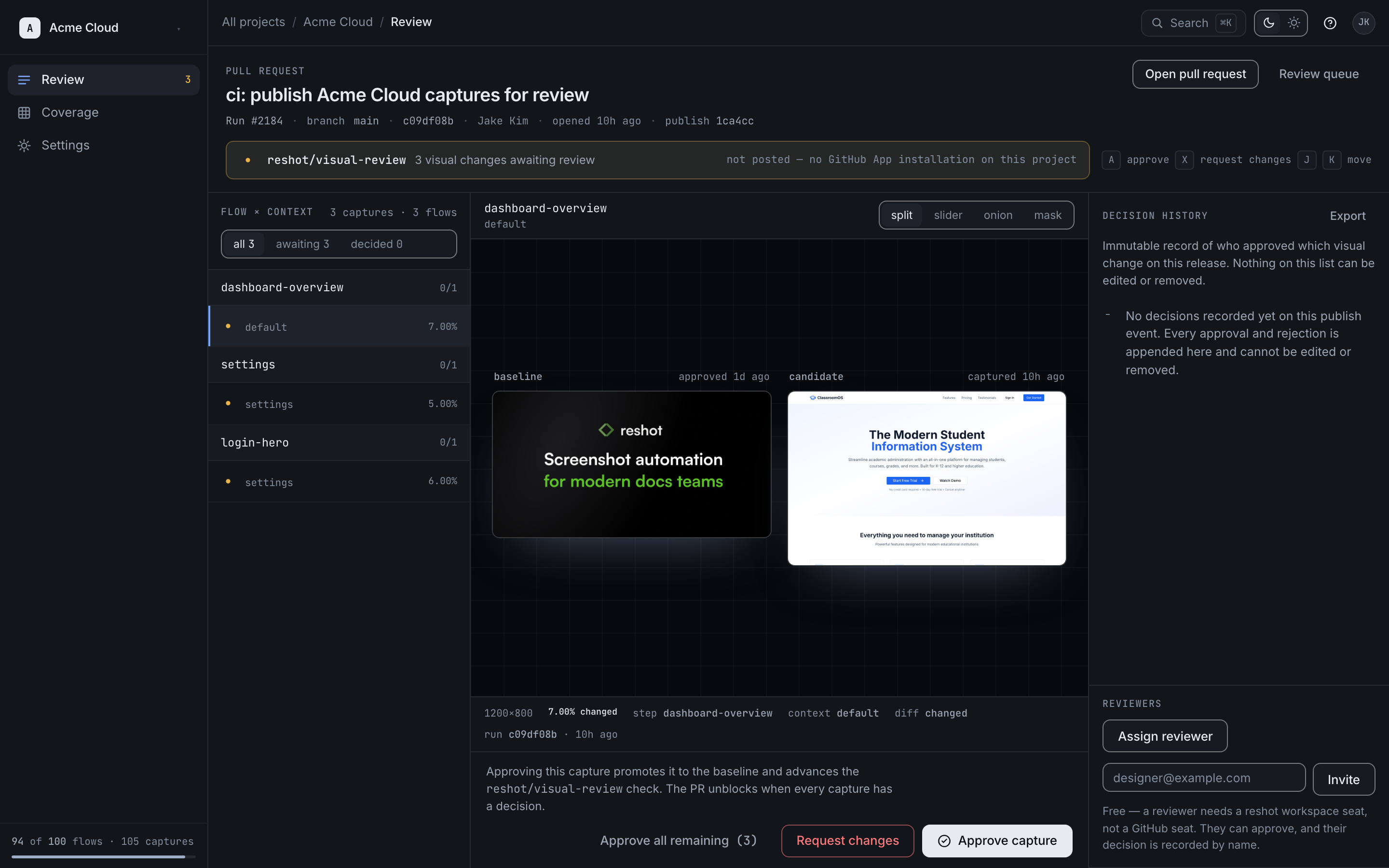
Reshot automatically compares new assets against previous versions to detect UI regressions. This helps you catch unintended visual changes before they reach production.
How It Works
Every time you run scenarios:
- New assets are generated
- Each asset is compared pixel-by-pixel against the previous version
- A diff manifest is created showing: new, changed, or unchanged assets
- Changed assets show exactly which pixels differ
Configuration
Enable and configure diffing in reshot.config.json:
JSON
{
  "diffing": {
    "enabled": true,
    "threshold": 0.1,
    "includeAA": false
  }
}| Property | Type | Default | Description |
|---|---|---|---|
enabled | boolean | true | Enable visual diffing |
threshold | number | 0.1 | Sensitivity (0.0 to 1.0) |
includeAA | boolean | false | Include anti-aliasing pixels in diff |
Threshold Settings
| Threshold | Behavior |
|---|---|
0.0 | Exact match required (very strict) |
0.1 | Catches meaningful changes (recommended) |
0.5 | Only catches significant changes |
1.0 | Almost everything passes |
Anti-Aliasing
The includeAA option controls whether anti-aliasing differences are flagged:
false(default): Ignores minor rendering differences between browsers/platformstrue: Flags all pixel differences including font smoothing
Diff Output
After running scenarios, the diff results are available in:
Text
.reshot/output/
├── homepage.png
├── homepage.diff.png    # Visual diff overlay
└── manifest.json        # Diff status for all assets
Manifest Example
JSON
{
  "assets": [
    { "key": "homepage", "status": "unchanged" },
    { "key": "login-form", "status": "changed", "diffPercent": 2.3 },
    { "key": "new-feature", "status": "new" }
  ]
}
Platform Review
If using Reshot Platform, changed assets automatically enter the Review Queue for approval before going live.